Learning paths The lesson player Songs and the Library Practice tools Ask PlugAI Pricing Questions Support
Coming soon toApp Store Coming soon toGoogle Play

Keyboard lessons that wait for your hands.

Short, guided steps take you from your first middle C to both hands together, in Western notation or Indian sargam. Play on a MIDI keyboard, on the screen, or let the microphone listen to your piano.

Coming soon toApp Store Coming soon toGoogle Play

Free to start when it launches. Pro starts at $3.99 a month. Hear when it's out

Ode to JoyTap the keys, or press A to K on your keyboard

A demonstration keyboard. Guide me lights the first phrase of Ode to Joy one key at a time, with finger numbers, the way a Keyboard Mentor lesson does.

Start on the path that fits your music.

Western keyboard from your first middle C, or Indian keyboard in sargam from your own Sa. Each path is a run of short units, and the first ones are free.

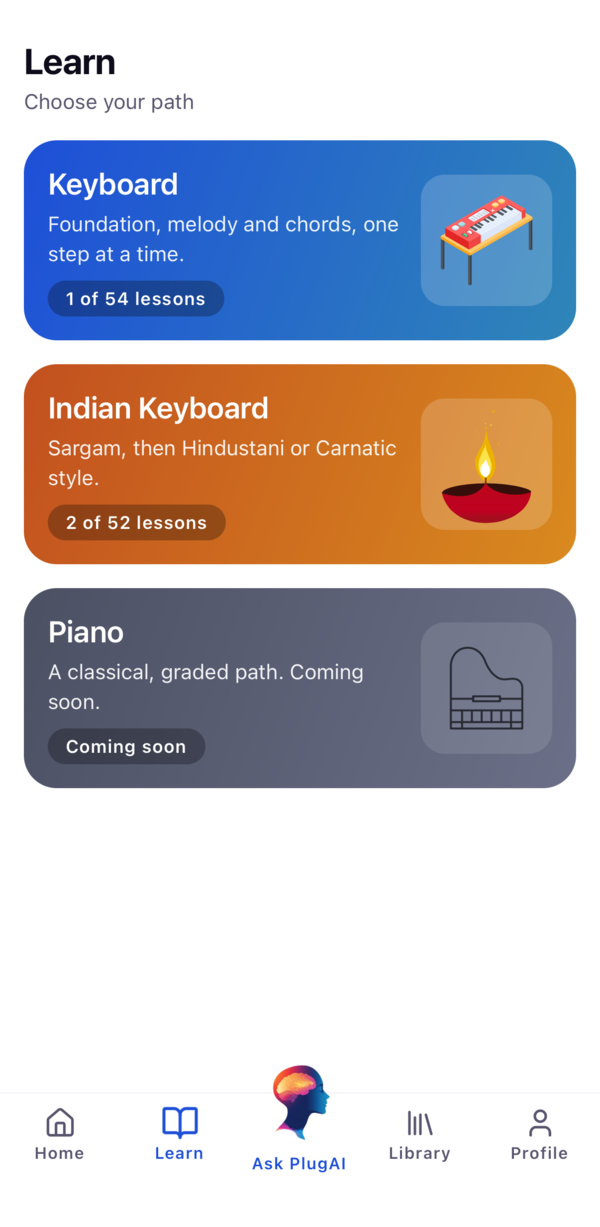
The Learn tab: choose Keyboard, Indian Keyboard, or Piano, which is coming soon

Keyboard

54 lessons. Foundation first, then Melody and Chords.

  1. FoundationMiddle C and five-finger positions, rests and the waltz feel, sharps and flats, sight reading, then bass and melody together.First units free
    1. Melody IRight-hand tunes over a held left-hand note, ending with Lightly Row.
    2. Chords IC, F and G major, A, D and E minor, and I-IV-V-I changes, ending by accompanying Ode to Joy.
Indian Keyboard

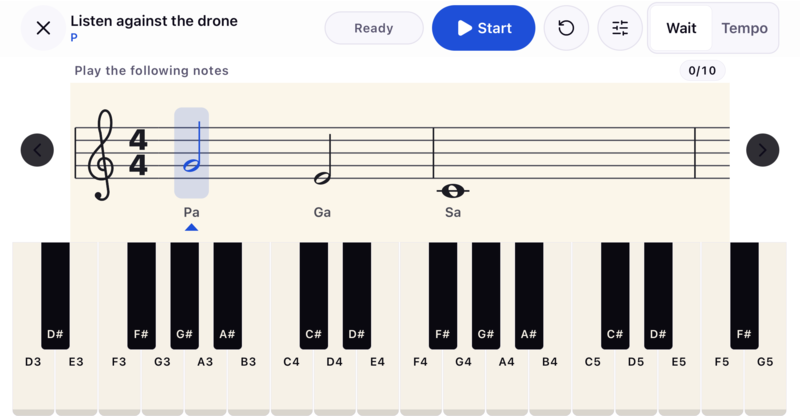
52 lessons in sargam. Meet Sa first, then choose a style.

  1. Meet SaFind Sa against the drone and name every note from it.Free
    1. HindustaniSwaras and saptaks, alankars, taal, komal and tivra swaras, Raag Bhupali and Raag Yaman, bhajan and aarti, film-style melody.First unit free
    2. CarnaticSarali, Janta and Dhatu Varisai, Alankarams, Adi Talam and a first Geetham.Sarali Varisai free

Piano

A classical, graded path. Coming soon.

Short steps, then one check that counts.

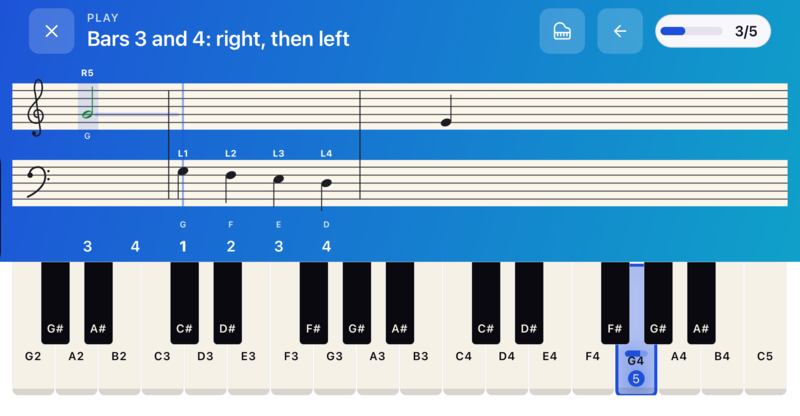
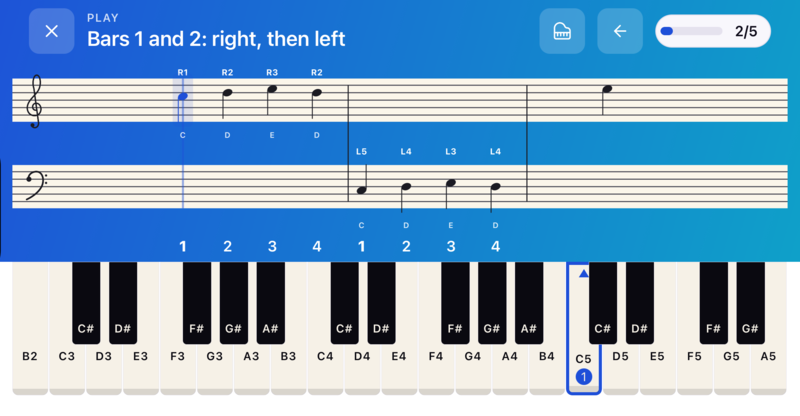
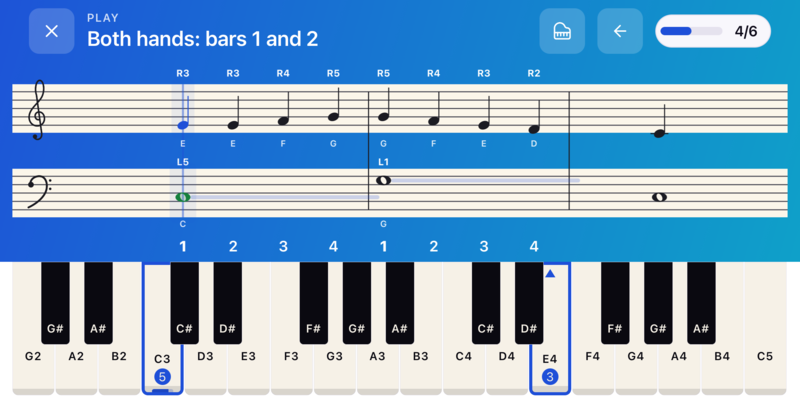
Lessons turn your phone sideways and come as short steps: an idea and its keys, a phrase the app plays for you, then a bar or two for your hands. Practice steps wait until you play. The last step is a check in time, and only that check can pass the lesson.

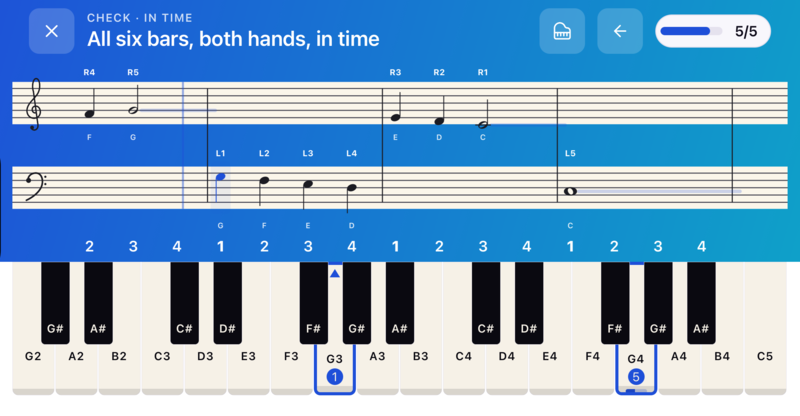
The timed check, both hands in time: the staff scrolls to a blue line while G3 and G4 are lit on the keys with finger numbers 1 and 5

The staff scrolls to the blue line as you play, and the next key lights a beat before it's due, with its finger number. Only this timed check can pass the lesson, against the pass mark written for it.

  • About 80 ms is how close a chord's keys must land to count as together.
  • Up to 60 ms of steady delay behind or ahead of the click isn't held against you.
  • Only a perfect run shows 100%. Each result card says what to work on next.

After the lesson, a song you can already play.

Practice songs follow the lesson that taught their notes, so every one is in reach. Then the Library keeps you playing.

  • Practice songs from a score at your own tempo: Listen first, then Play. Slow it down, loop bars, play one hand, switch letters and sargam, or move Sa.
  • 38 Library songs at Easy and Standard, from Für Elise and Canon in D to Lambodara Lakumikara and a Raag Yaman study. 15 are free.
  • Chord sheets in ChordPro: put chords in square brackets, set the key, then transpose, resize and auto-scroll.
  • Chord play-along. Play each chord as it lights, in any octave, with a left hand that's block, broken or Alberti.
  • Setlists of songs and sheets, in the order you'll play them.

Songs are practice. They show stars and notes on time, and never change what a lesson says you've mastered.

Amazing Grace

Chord sheet, 3/4

Key G

GAmazing G7grace, how Csweet the Gsound

That Gsaved a wretch like Dme

I Gonce was G7lost, but Cnow am Gfound

Was Emblind, but Dnow I Gsee

Tap a chord to see its keys{key: G} [G]Amazing [G7]grace

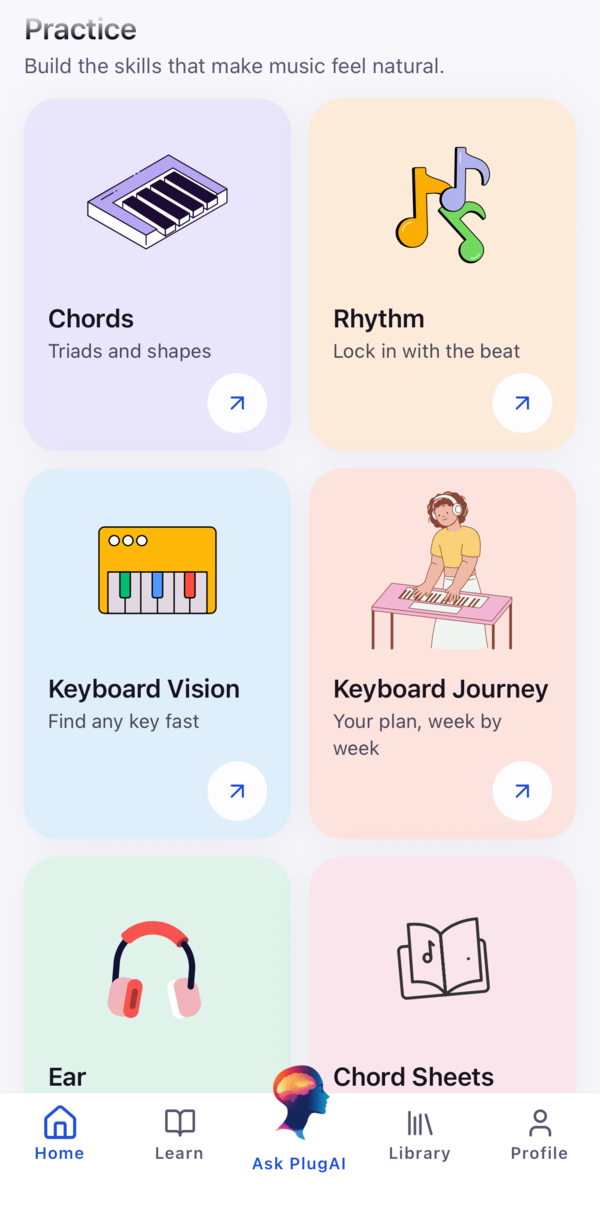
The tools between lessons.

Open to everyone. None of them are scored as lessons, so play with them as much as you like.

Circle of 5ths

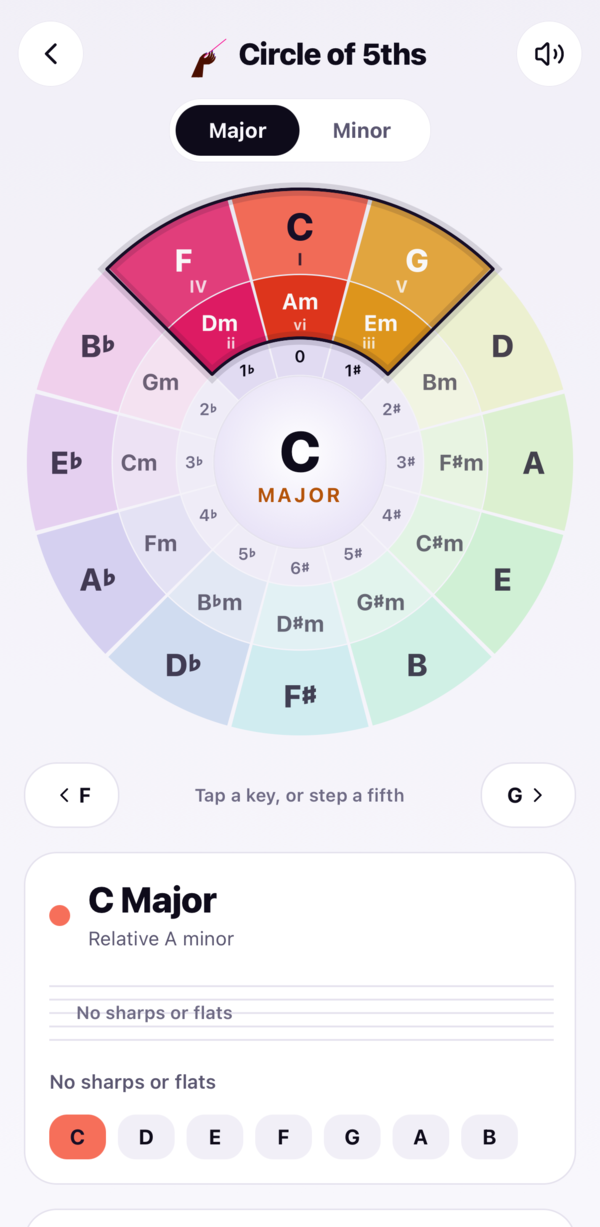
The twelve major keys around the outside, their relative minors inside. Pick a key for its signature on a staff, its scale, its seven chords and progressions to try. Tap a chord to hear it and see its keys.

Free, no limit
Circle of 5ths with C major selected, its chords highlighted in the wedge and no sharps or flats

Metronome

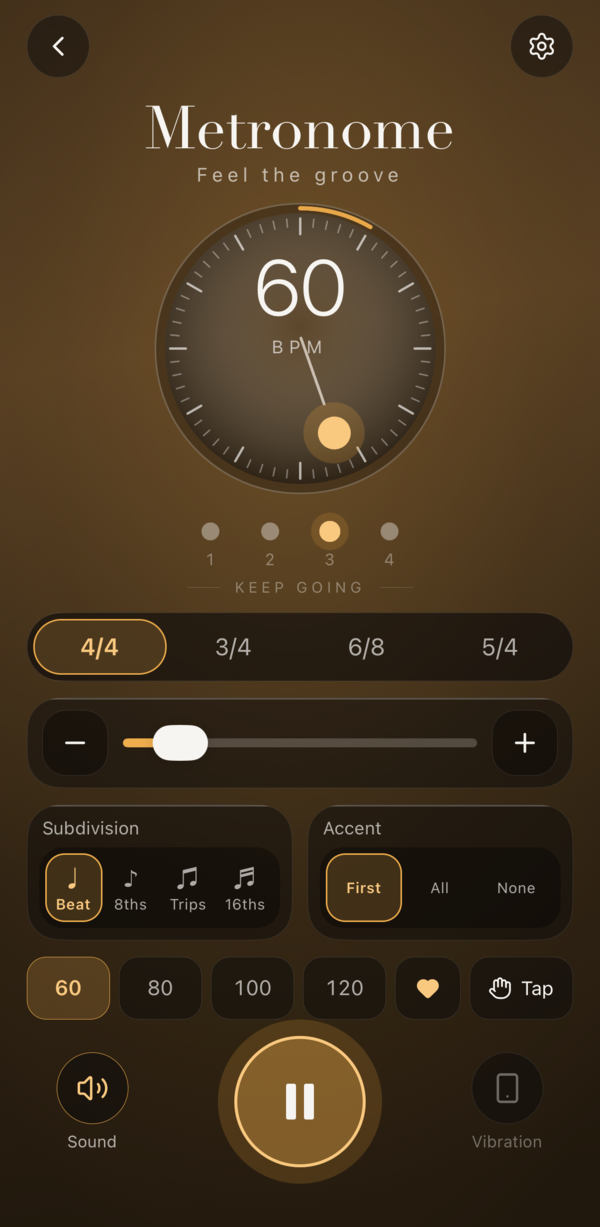
Built to Guitar Mentor's standard: 40 to 240 BPM, 4/4, 3/4, 6/8 and 5/4, subdivisions, accents, tap tempo and saved tempos, with eleven colourways and six click sounds.

Free, no limit
The Metronome playing at 60 BPM in 4/4, with a pendulum dial and one lit dot per beat

Keyboard Vision

Rounds of ten that train you to find notes fast: find every note, name to key, staff to key and sargam to key. Get 8 of 10 to pass; the summary shows your median reaction time.

3 rounds a day freeUnlimited with Pro

Free Play

A full keyboard with sound and nothing scored. Change octave, switch the names between C D E and Sa Re Ga, hold Sustain, and set a click from 40 to 200 BPM.

Free, any time

The keys at the top of this page work the same way. Try them

Plug in a keyboard, or play on the glass.

Every input is scored the same way, on your phone, from the moment each note lands. Every result records which input played it.

MIDI keyboard

USB, Bluetooth, network or virtual. Calibrate latency, with a separate setting for Bluetooth. Your keys run the lesson too: C4 to try again, D4 for the next lesson.

On-screen keys

No keyboard yet? Lessons, songs and Free Play all work on the phone's own keys, in landscape.

Microphone

Listen mode hears your acoustic or digital piano. The band switches off so the microphone doesn't mistake it for you, unless you wear headphones.

PlugAI, inside Keyboard Mentor
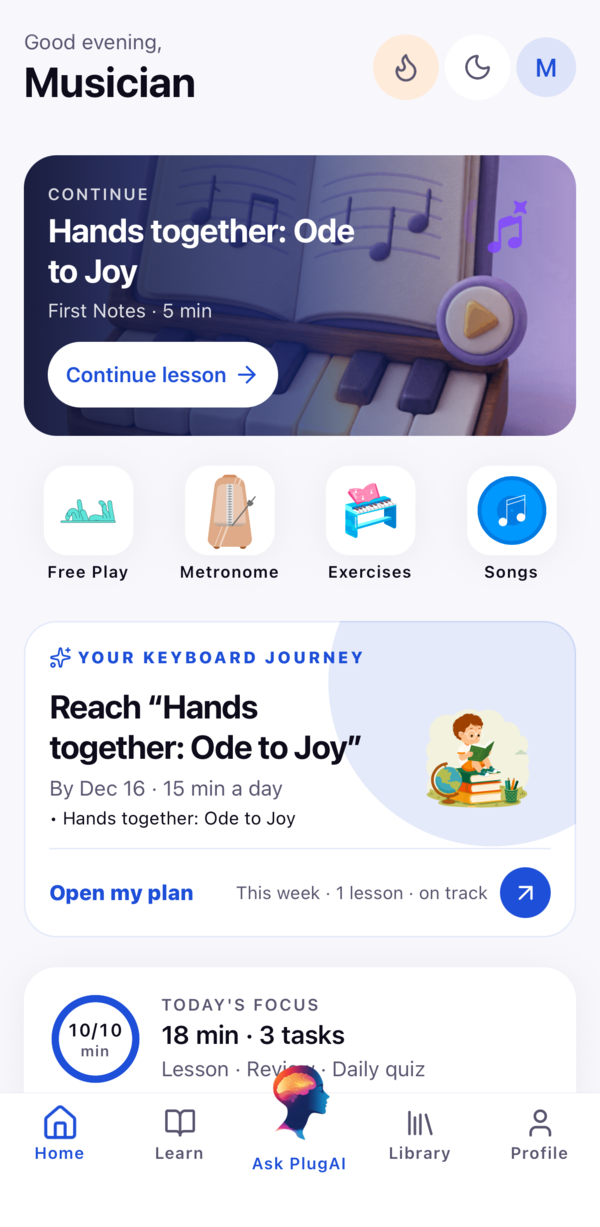
Ask PlugAI. It explains, and it never scores.

The same coach that's in Guitar Mentor, made for keys. Ask about a lesson result, a song or what to practise next. It can explain what went wrong, draft a chord sheet or suggest a change to your plan, and nothing changes until you confirm.

Why did I miss notes?

From your latest run's wrong, missed, early and late notes, it tells you which bars and which hand, and what to try next.

Chord sheet drafts

"Write me a chord sheet for Silent Night." Save it to Chord Sheets or say not now.

Plan changes you approve

It can suggest a change to your Keyboard Journey, with Update plan or Not now.

Your choice what it sees

Practice summaries are shared only while you allow it, and you can withdraw. No audio and no name are sent.

Why did I miss notes?
PlugAI
Your notes were right, but in bars 3 and 4 the left hand came in late. Try that step in Wait mode once, then twice in time at the same tempo.
Write me a chord sheet for Silent Night
Draft: Silent Night, key of CSave sheetNot now

Illustration. PlugAI is part of Pro and needs an account. In kids mode, a grown-up check comes first.

A record that's honest.

Your phone checks each note against the lesson's written notes. Results say how they were earned, and practice never quietly turns into mastery.

  • Weekly streaks count the weeks you meet your goal days, with freezes for the week life gets in the way.
  • Certificates for passing every lesson in a unit. Skipped lessons don't count.
  • A daily minutes ring, badges, and Today's Focus on Home with your next lesson and a daily quiz.
  • Cloud sync when you sign in: progress, practice history and chord sheets follow you between devices. Signed out, everything stays on this phone.
This week3 of 3 goal days
  1. M
  2. T
  3. W
  4. T
  5. F
  6. S
  7. S

And there's more in the app.

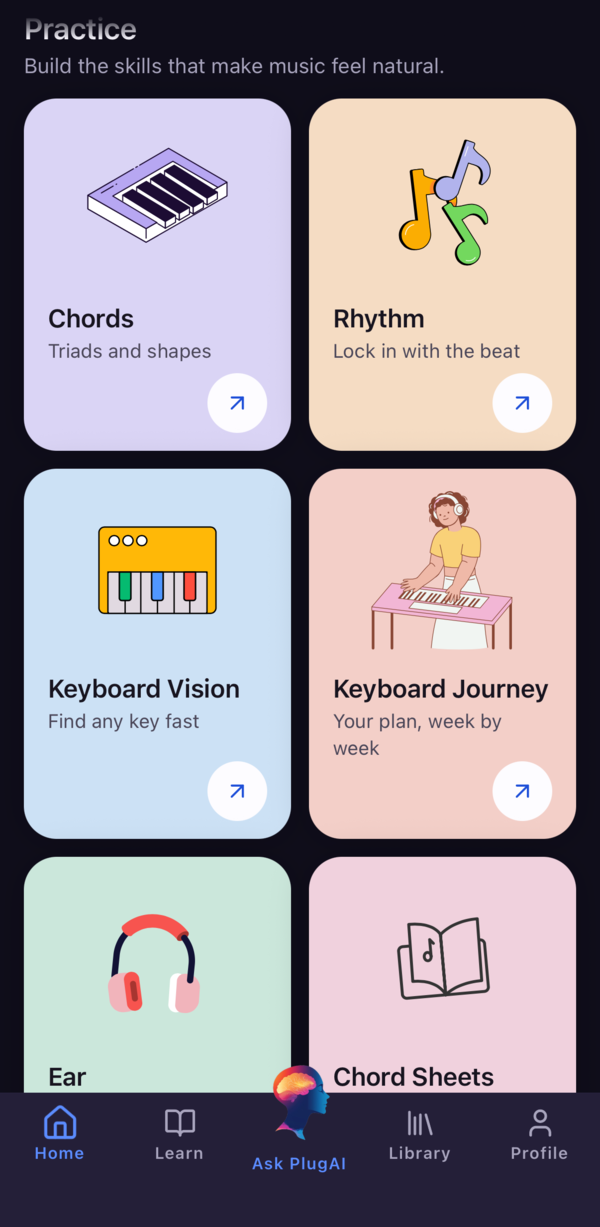
Beyond the lessons and tools: a plan for every day, ear training, exam preparation and your own songs.

Free

Keyboard Journey

A daily practice plan with a personal coach, five-star course progress and milestones you earn.

Free start

Ear training

An ear path from pitch and scale degrees to intervals, chord colour, harmony and melody, with aural practice for ABRSM, Rockschool and Trinity.

Free start

Exam preparation

Original preparation for Trinity Piano, Trinity Rock & Pop Keyboards, Rockschool Piano and Keys, and ABRSM Piano. Not affiliated with the boards.

Pro

Your own songs

Import a song for chord suggestions and separate stems to practise with.

Chord play-along

Play a Library song's chords as they light up, with an optional left-hand pattern and backing band.

Practice band

A piano-led band with guitar, bass, drums, tabla rhythms and a metronome to play over.

Kids mode

For ages 4 to 10: hand pictures instead of finger numbers, bigger notes, and a grown-ups-only gate.

Key size

On-screen keys in Small, Standard or Large, so small hands and big phones both fit.

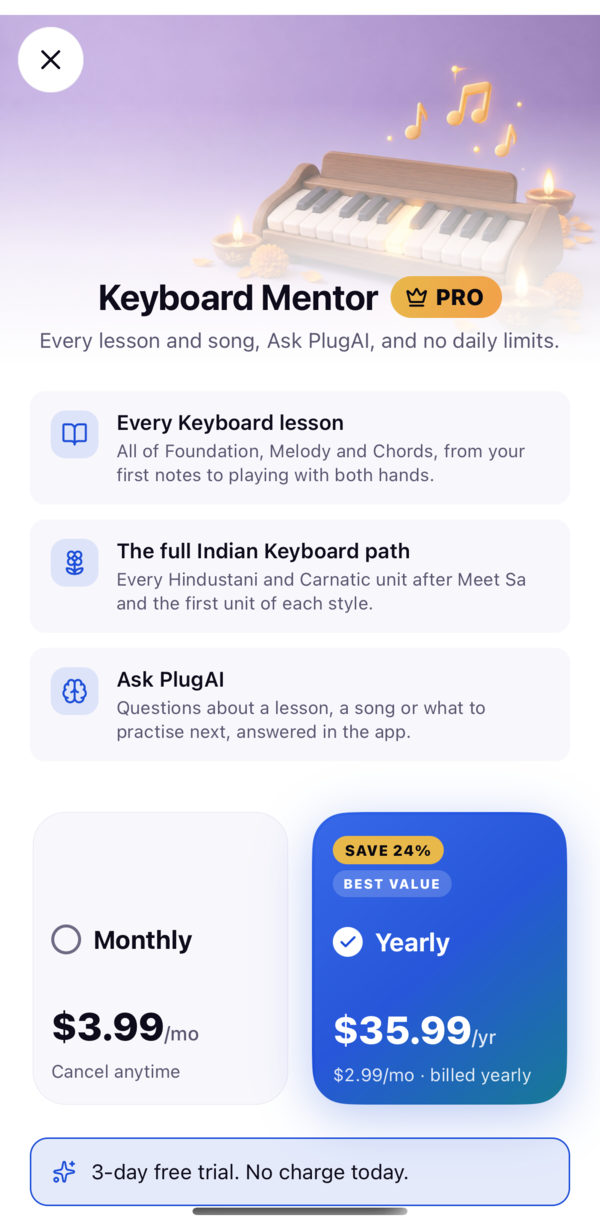
Free to start. Pro for every lesson.

Pro adds every lesson and song, Ask PlugAI, and no daily limits. It starts at $3.99 a month or $35.99 a year, with a 3-day free trial on yearly.

What Free and Pro include
What you getFreePro
Keyboard lessons: Foundation, Melody, ChordsFirst unitsEvery lesson
Indian Keyboard: Hindustani and CarnaticMeet Sa + first unit of eachEvery unit
Library songs, at Easy and Standard15 songsAll 38
Practice songs after lessonsIn free unitsIn every unit
Keyboard Vision3 a dayUnlimited
Daily quiz3 a dayUnlimited
Ask PlugAI—✓

Starting prices in USD. Prices vary by region, and the App Store or Google Play shows yours before you confirm. Subscriptions renew automatically until you cancel in your store.

Questions players ask

When can I download Keyboard Mentor?

Soon, on iPhone and Android. It isn't in the App Store or Google Play yet. Email us and we'll tell you the day it's out.

Is it free?

Yes, to start. The first Keyboard units, Meet Sa, the first Hindustani unit and Sarali Varisai are free, with their practice songs, plus 15 Library songs, Free Play, the Metronome and Circle of 5ths. Free learners get 3 rounds a day of Keyboard Vision and the daily quiz. Pro unlocks every lesson and song, Ask PlugAI and unlimited rounds.

Do I need a MIDI keyboard?

No. You can play on the on-screen keys or let the microphone listen to your piano. A MIDI keyboard over USB or Bluetooth gives the most precise timing, and you can calibrate latency for each.

Does it teach Indian music?

Yes. The Indian Keyboard path starts with Meet Sa, then you choose Hindustani (alankars, taal, komal and tivra swaras, Raag Bhupali, Raag Yaman, bhajan and aarti) or Carnatic (Sarali, Janta and Dhatu Varisai, Alankarams, Adi Talam, a first Geetham). Notes are named in sargam from a Sa you can set to any key.

How does it know I played the right notes?

Your phone checks each note against the lesson's written notes, using the moment the note landed. Each lesson has its own written pass mark, most often 85%, and only its timed check can meet it. PlugAI can explain a result, but it never calculates one, and practice songs, the Library and Free Play never change your lesson results.

What is Wider hands?

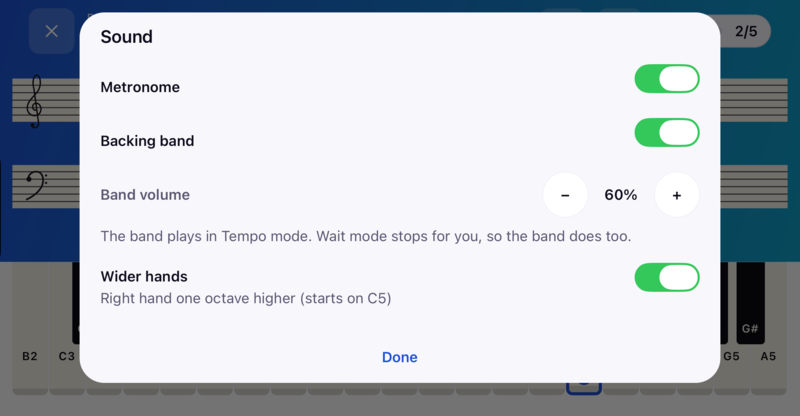
An optional hand position for beginner two-hand lessons. The right hand moves up an octave to start on C5, for more room between the hands. The lesson, tempo and pass mark stay the same.

Where do I get help or delete my account?

Be first to the keys when it launches.

Keyboard Mentor is coming to iPhone and Android. Email us and we'll write once, on launch day.

The Keyboard Mentor app icon: a treble clef on lotus petals